Find here the presentation done for the Iof2020 EU project final event. It describes the need for agile standardization performed by Smart Data Models initiative and some of the main links of the initiative.
Specific focus on Agrifood sector.
This a general review of the contributions’ manual with these changes:
Located in the upper menu of the site.
It has been updated the database for searching properties, two main improvements:
New data model in the dataModel.Agrifood subject. Compartment
Compartment: Artificial area in a building or department that is measured by certain sensors. A compartment is not necessarily a physical separator. It can be a department or a grouping of several pens within a department that is being measured by the same sensor.
This is an alpha version (so you can expect errors and not being complete). Use it at your own risk. Please report errors and suggestions at info@smartdatamodels.org
Call: https://smartdatamodels.org/extra/ngsi-ld_generator.php
Parameters: (Mandatories)
Use any data model from Smart Data Models initiative and paste it into the form. Then you’ll get a page with a random payload compliant with the data model. Refresh for more.
You can also use this form
In the directory utils of the umbrella repository data-models there is a new python script that checks if a schema is properly documented and if the payload is correctly located and validates against the schema.
In the front page, there is a new option that allows you top to directly create a copy of the template sheet for creating new data models.
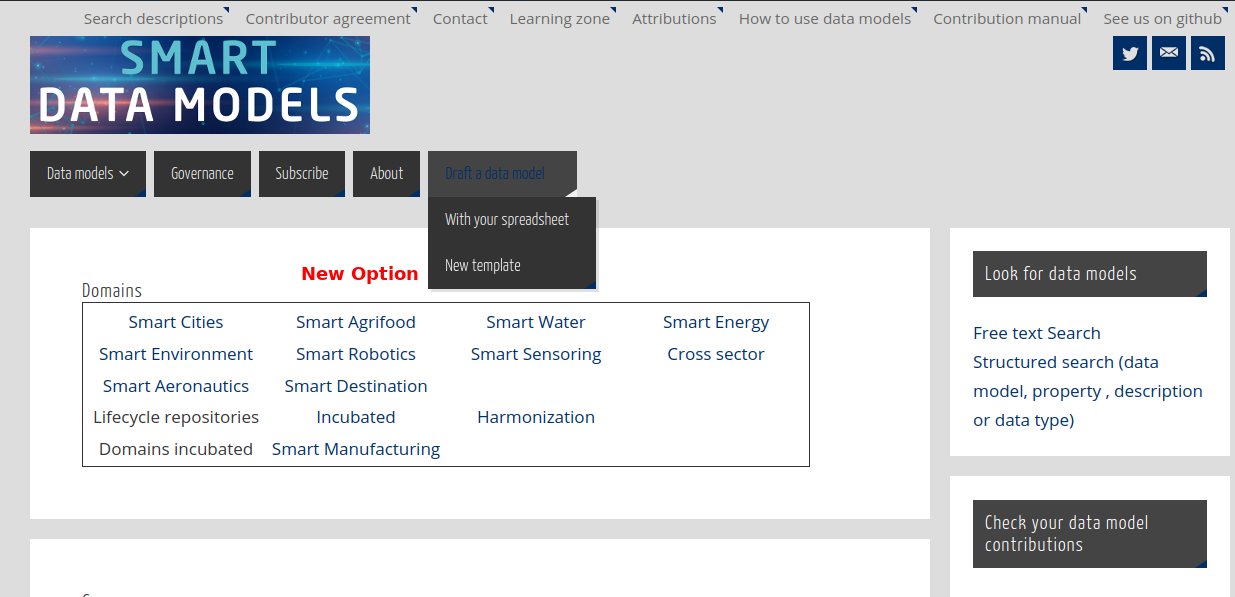
Remember that this spreadsheet is done for those unfamiliar with json schema (the official format for the smart data models) to allow them to create a new data model from their knowlege.
The use instructions are in the spreadsheet
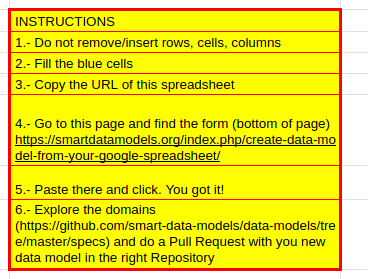
Any doubt please let us know at info@smartdatamodels.org
The context.jsonld for smart data models has been updated to meet json ld requirements. Now they are implementing geojson requirements.
It affects the terms of bbox and coordinates. It could impact those elements having a geoproperty (most of the data models).
NEW VERSION!!
This post became obsolete, go for the new master sheet
This is a resource, especially for those who have limited knowledge of JSON schema.
If you want to create a basic version of a data model (not all JSON schema is implemented), you can use a copy of this spreadsheet as template. This spreadsheet is always available at https://bit.ly/schema_sheet short name.
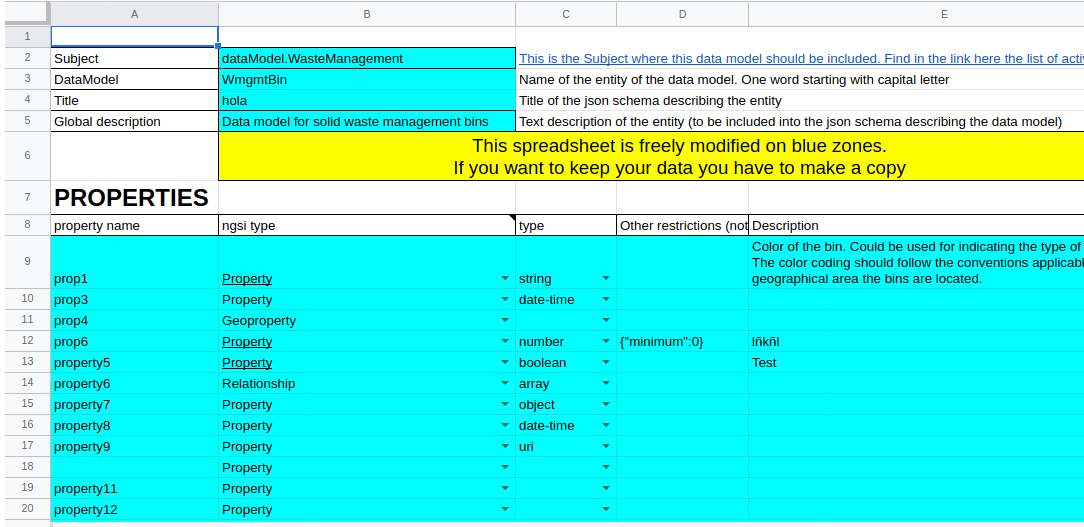
You need to fill the blue cells for these parameters:
Once you’ve got the schema, grab some examples (It is always good to review the contribution manual) and you can make a Pull Request on any of the subjects of any domain in Github. Or just use this form.
NOTE 1: The first option will be attended quicker than the second.
NOTE 2: Do not write out of the blue cells (it will be ignored). And do not add or remove cells. The converter script looks for these precise locations in blue.
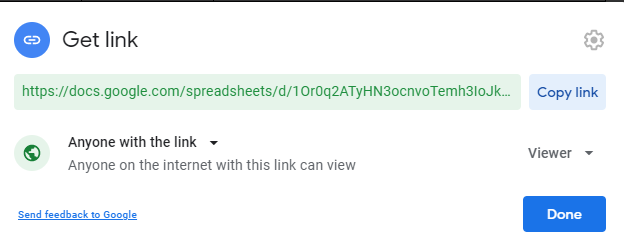
NOTE 3: Your spreadsheet has to be made public. (anyone with the link), otherwise, the script will not be able to retrieve your data.
Call:
Parameters: (Mandatories)
Output: A json schema based on the properties defined in the database. This is an alpha version so errors are not managed.
In case you are not an expert for creating a JSON schema (one of the elements of a data model)
On this page, you have a spreadsheet for helping with the first steps.
1.- Fill the spreadsheet with the names of the properties for your model
2.- fill the NGSI type (Property, Relationship or Geoproperty)
3.- In case of property, fill the data type (array and object types are currently not completely supported)
4.- Fill in the description
5.- Click the button, the page will reload
6.- voila! you have your json schema below the spreadsheet, just copy and paste into your favourite editor.
The python code for it is also made public in the utils directory in the data models repo.